
Marketing · 6 min read
Set up and send your newsletter
Visitors subscribe from your page; you send them issues by email, within the emails a month of your plan.
-
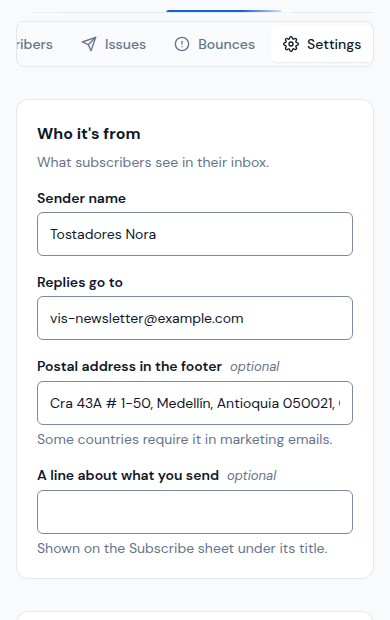
Open Newsletter › Settings. Fill in the Sender name, where Replies go to and the Postal address in the footer (some countries require it), then tap Save.
-
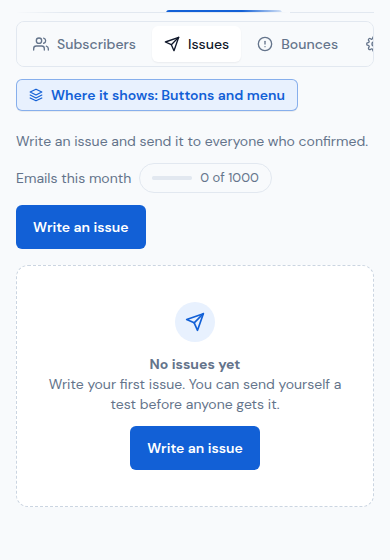
Show the subscribe button on your page: in Your brand › Buttons and menu, place Newsletter where you want it. Who subscribed is in Newsletter › Subscribers; only those who confirmed get your issues.
-
Open Newsletter › Issues and tap Write an issue.
-
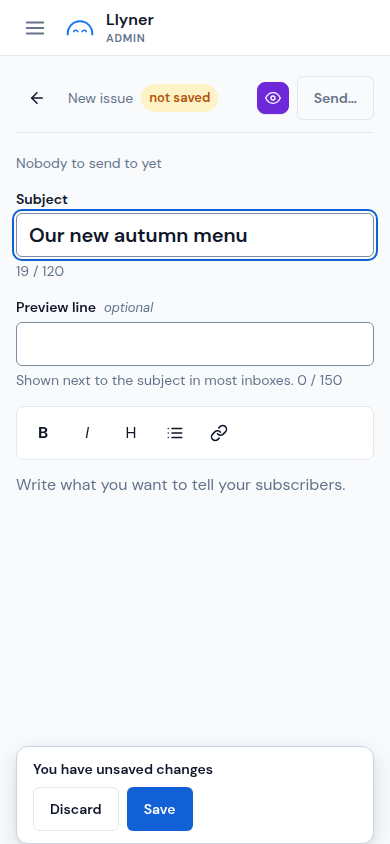
Write the Subject, a Preview line and the text. Tap Save to keep the draft.
-
Tap the eye to see the Preview and Send a test to yourself. When it looks right, tap Send… and confirm: it can't be taken back.
Updated October 19, 2026, with the screens as they are now.