
Marketing · 5 min read
Read a campaign's results
Each campaign has its results: who got it, opened it, clicked and what they did after. While it sends, the figures update every minute.
-
Open Newsletter › Campaigns and, in a sent campaign's row, choose See results. Newsletter › Results compares your last 12 campaigns and the health of your list.
-
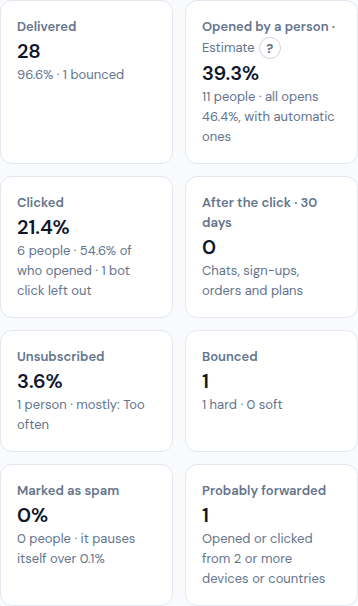
The figures at the top:
- Delivered: how many reached an inbox, and how many bounced.
- Opened by a person · Estimate: the share of the delivered, the people, and all opens including automatic ones.
- Clicked: the people, the share of who opened, and the bot clicks left out.
- After the click · 30 days: chats, sign-ups, orders and plans that followed.
- Unsubscribed (and the reason most gave), Bounced (hard and soft), Marked as spam (over 0.1% you get a warning, see step 3) and Probably forwarded (opened or clicked from 2 or more devices or countries).
-
A campaign that passes the rule for spam reports or bounces is never paused: its row in Campaigns and its results say "Warned: n spam reports of m (p%)" and it keeps sending. Look at who it went to and what you wrote, and Stop it from the row if you decide to. If you stopped it, or it paused itself before, Resume… shows why and lets you set a new speed (Resume at n a minute). What was not sent shows as "n not sent".
-
Why opens are an estimate: some mail apps open every email by themselves, and some block images. Clicks are exact; opens are not. Tap the ? next to Estimate to read it again.
-
Versions (when you tested more than one): a table with each version's Subject, Preview line, Sent, Opens and Clicks. The version that won is marked Winner and goes to the rest of the people; a version that was never sent is marked Not sent.
-
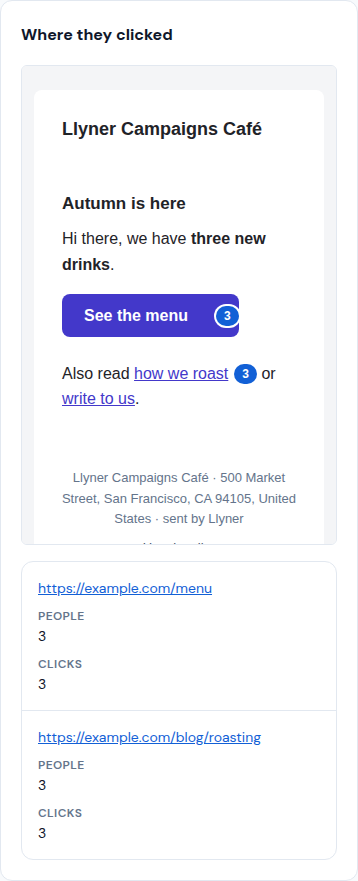
Where they clicked shows the email with the clicks on each link, and the links with their people and clicks. When they opened and clicked draws each hour of the first 48, then each day, and the hour your contacts usually read.
-
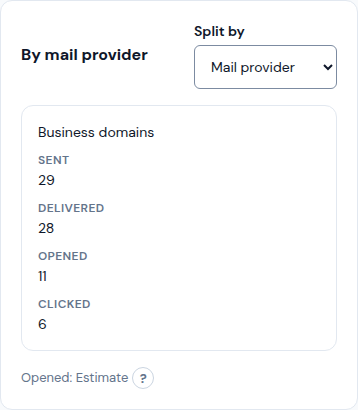
By mail provider splits sent, delivered, opened and clicked by Gmail, Outlook · Hotmail, iCloud · Apple, Yahoo, business domains and others. "Delivered but almost never opened: probably in Junk" means that provider is putting it in spam. Split by shows the same by one of your fields instead.
-
After the click counts what people did on your page within 30 days of clicking: Visited the page, Opened the chat, Signed up, Ordered and Bought a plan, with the amounts. Who did what lists the contacts who clicked, opened, didn't open, bounced or unsubscribed; Tag these n tags them all for a next campaign.
-
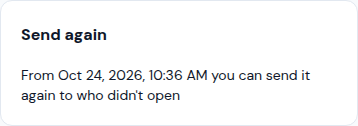
Send it again to who didn't open: the Send again card offers Send again to who didn't open from the date it shows. Write a New subject (different from the first one's) and it opens as a new draft for those people only.
-
Download as CSV saves the results; Copy as a new campaign starts a draft with the same email.
Updated October 30, 2026, with the screens as they are now.