
Your AI assistant · 5 min read
Create an AI assistant with your own content
An assistant answers only from what it knows. Make one for a topic, then sell it or share its link.
-
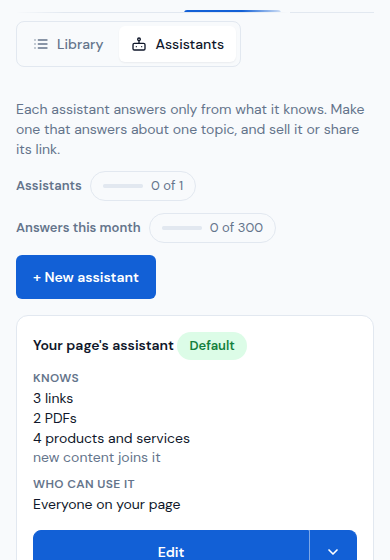
Open Content › Assistants and tap + New assistant.
-
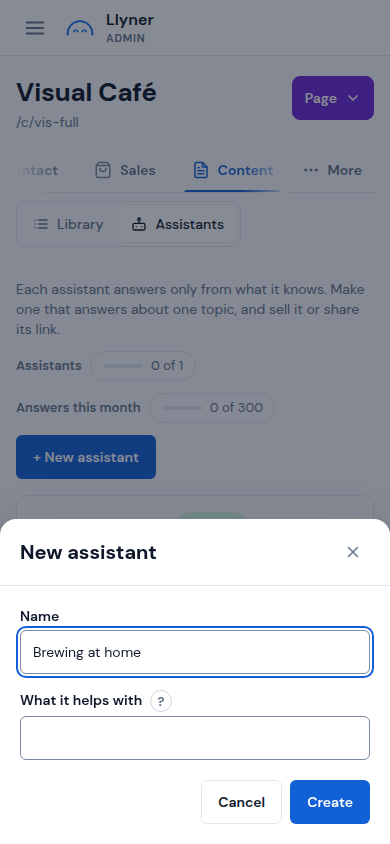
Write its Name and What it helps with: customers read it, and the assistant keeps to it. Tap Create.
-
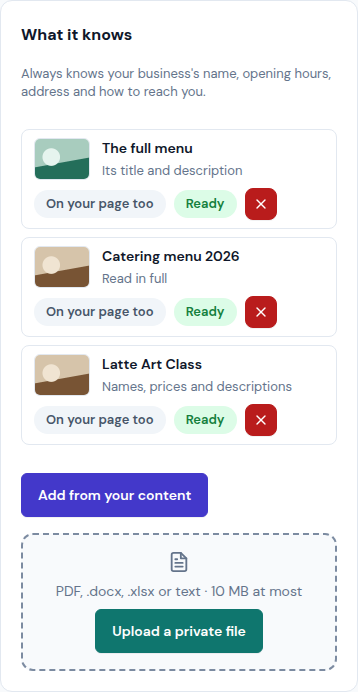
On its page, under What it knows, tap Add from your content to pick links, PDFs, posts or products, or Upload a private file (PDF, .docx, .xlsx or text, 10 MB at most). Each one says Ready once it is read.
-
Tap Try it to ask it something, as a customer would.
-
Choose who can use it: Sell it with a product (buyers get its link in their order email), or + New private link for each person you share it with.
Updated October 19, 2026, with the screens as they are now.