
Account and plan · 2 min read
Ask us to add another owner
Today a Llyner page has one owner: the person whose email signs in to it. A second person can't have their own access yet. Llyner's team can help you hand the page over or change the owner's email.
-
Check who owns your pages: in Your account, Your email is the one that signs in, and Your pages (or Your page, with one) lists every page it owns.
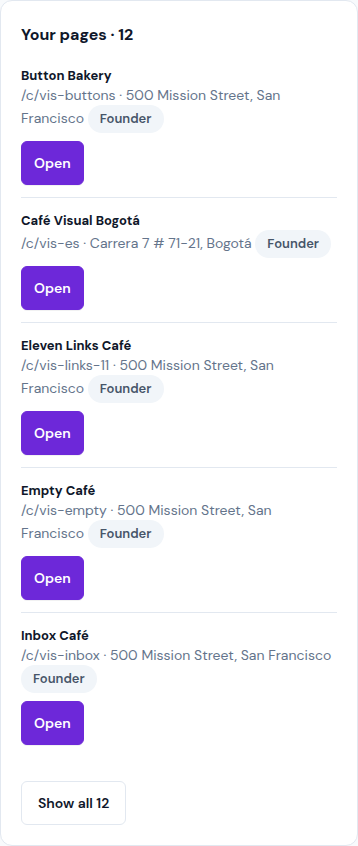
-
To give the page to someone else, or to have it sign in with another email, open Support from the menu (☰) and tap New ticket.
-
In About, pick the page. In Category, pick Support. Write who the new owner is (their name and email) in What happened?, and tap Send ticket.
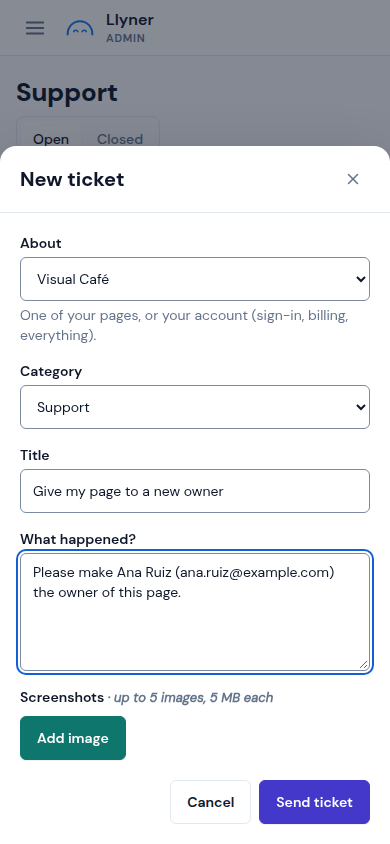
-
We answer in Support and by email. Once it's done, the new owner gets an email with a link to sign in.
Never share your sign-in link: whoever opens it is signed in as you.
Updated October 19, 2026, with the screens as they are now.