
Account and plan · 2 min read
Change your name, photo or language
Your account is you, for all your pages. It is never shown on them.
-
Tap ☰ at the top left, then your name (Your account) at the bottom of the menu.
-
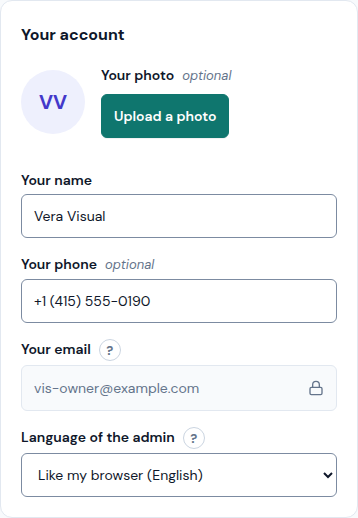
In the Your account card, tap Upload a photo to add your photo (a JPEG, PNG or WebP of 2 MB at most), or Remove to take it off.
-
Change Your name or Your phone.
-
In Language of the admin, pick Español, English or Like my browser. It changes this admin and Llyner's emails to you; your customers still see each page in its own language.
-
Tap Save at the top right.
Your email has a lock: you sign in with it, so only Llyner can change it. Write to admin@llyner.com.
Updated October 19, 2026, with the screens as they are now.