
Getting started · 2 min read
Create your page
Your Llyner page is free to create, with no card. It takes about two minutes.
-
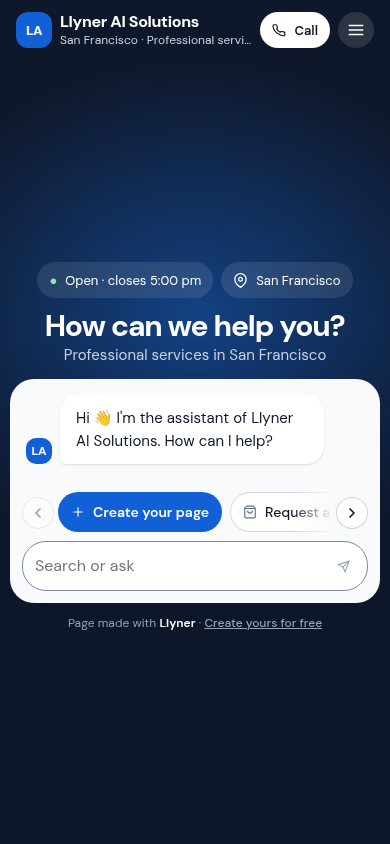
Open llyner.com on your phone and tap Create your page under the chat.
-
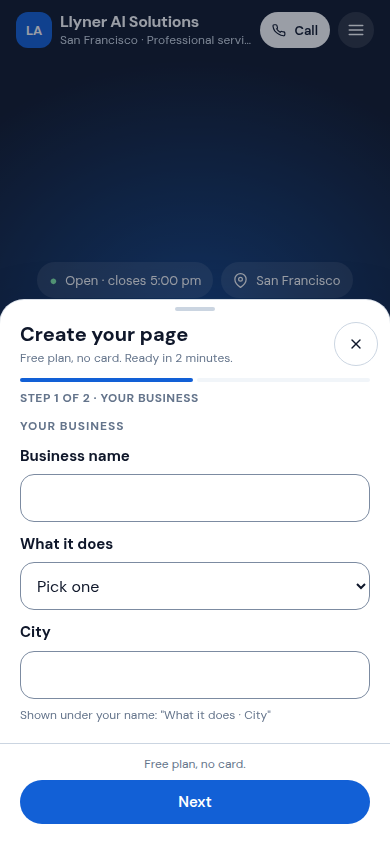
In Step 1 of 2 · Your business, write the Business name, pick What it does and write your City. Tap Next.
-
In Step 2 of 2 · How we reach you, write Your name, your WhatsApp and your Email. Visitors call that phone, and your sign-in link goes to that email.
-
Tap Create my page. When you see Your page is ready, tap See my page to look at it.
-
Check your email: we sent you a link to sign in to your page. Open it to add your products, hours and photos. If the email has a page already, sign in with it instead.
Updated October 19, 2026, with the screens as they are now.