
Getting started · 1 min read
Get the weekly email, or stop it
Every Monday morning Llyner emails you how your page did the week before: visits, chats, messages, orders and appointments, and what is waiting for you.
-
Open Home of your business.
-
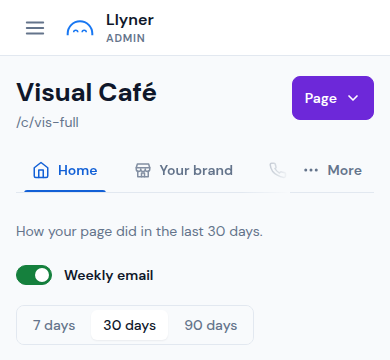
At the top, under "How your page did in the last 30 days", find the Weekly email switch.
-
Switch it on to get the email, or off to stop it. It is saved at once.
-
Each business has its own switch: with several pages, do it on each one's Home. You can also stop it from the email itself, with Stop these emails at its end.
Updated October 19, 2026, with the screens as they are now.