
Selling and orders · 3 min read
Add a product
Put something you sell on your page, with its picture and price. Customers can order it from the chat.
-
Open Sales › Products and tap New product.
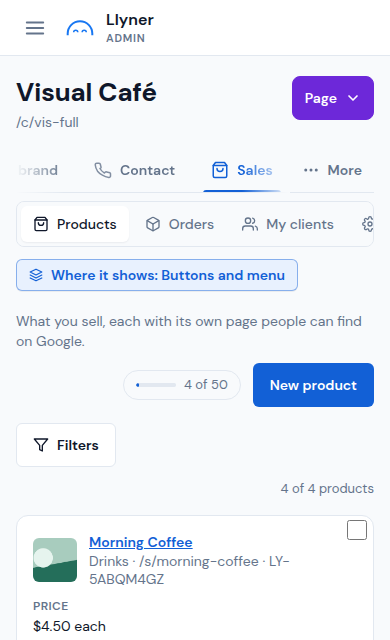
-
Tap Add pictures and choose one or more photos. The first one is the main picture.
-
Keep Product selected for something you hand over (customers choose how many). Pick Service for something you do, or Access to sell something on your page (see "Sell an access").
-
Write the name, then the Price (only the amount, for example 6; leave it empty for "On request"). Add a Price note ("per kg", "box of six") and a Category if you like.
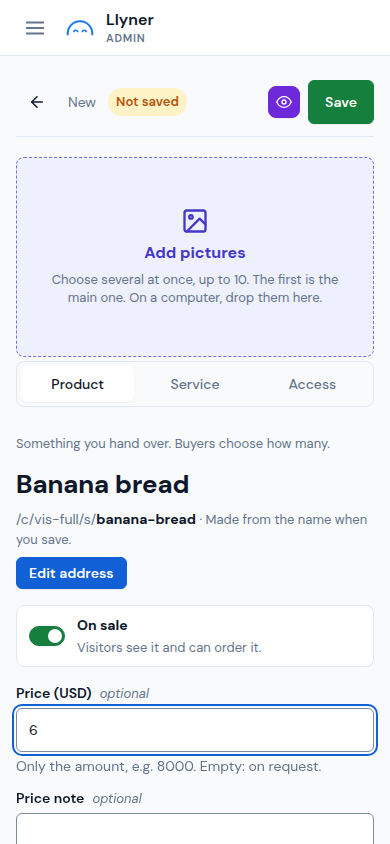
-
Below, write the Description. Under Details you can set its Availability (for example Out of stock).
-
Tap Save. The product is on your page at once, while On sale stays on.
Updated October 19, 2026, with the screens as they are now.