
Selling and orders · 2 min read
Set a minimum order and a delivery price
Ask for a minimum before you deliver, and charge a delivery price that is added to the order.
-
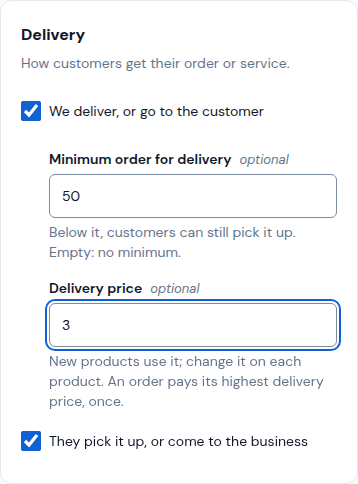
Open Sales › Settings. Under Delivery, tick We deliver, or go to the customer.
-
Type the Minimum order for delivery (below it, customers can still pick it up) and your Delivery price. Leave a field empty for no minimum or no price.
-
Tap Save. New products use this delivery price.
-
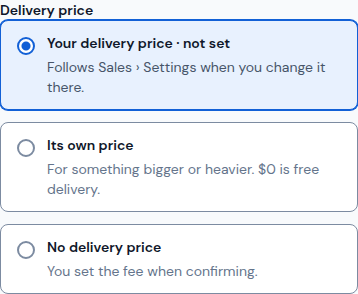
For a product that costs more to deliver, open it in Sales › Products. Under Delivery price pick Its own price and type it ($0 is free delivery), or No delivery price to set the fee when you confirm. Then tap Save.
-
An order pays its highest delivery price, once.
Updated October 19, 2026, with the screens as they are now.