
Your page · 3 min read
Choose what your page opens with
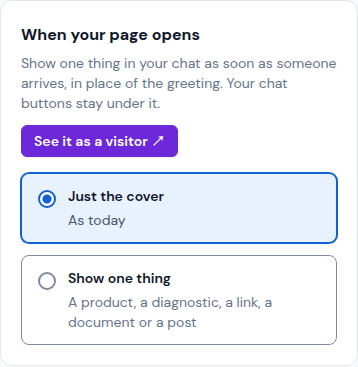
When someone opens your page, the chat can greet them, or show one thing right away: a product, a diagnostic, a link, a document or a post. Your chat buttons stay under it.
-
Open Your brand › Cover and go down to When your page opens.
-
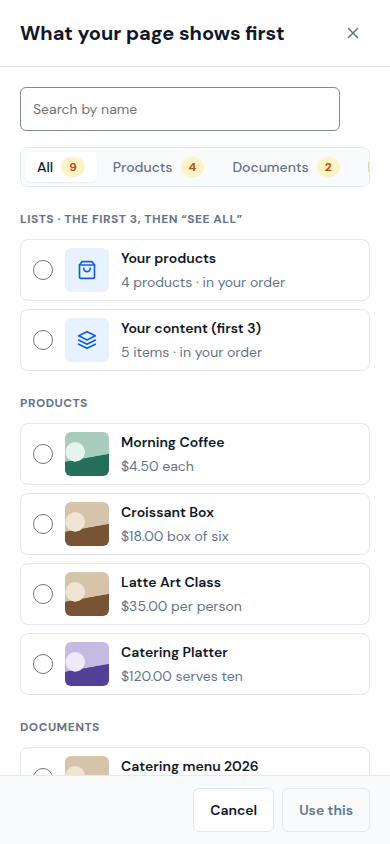
Tap Show one thing. The list What your page shows first opens.
-
Pick what shows: one item, or a list (Your products, or Your content (first 3), with "See all"). Use Search by name or the tabs to find it, then tap Use this.
-
Tap Save, then See it as a visitor ↗ to check it.
-
To go back to the greeting, pick Just the cover and tap Save.
Updated October 19, 2026, with the screens as they are now.