
Your page · 3 min read
Update your contact details and address
The phone, email, networks and address your customers see on your page. Your own sign-in details are in Your account.
-
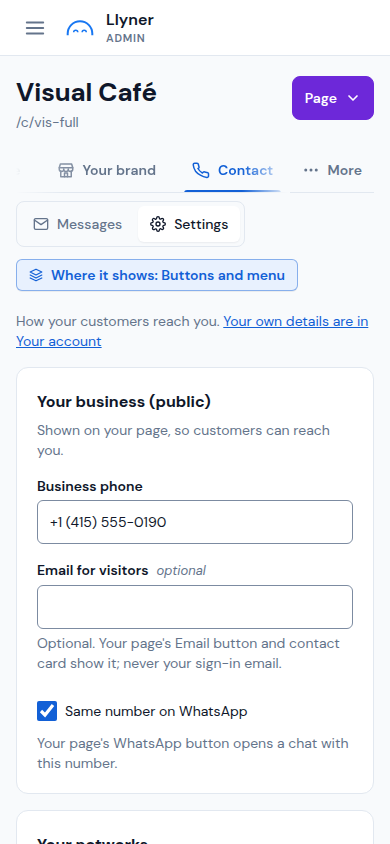
Open Contact (on a phone, it may be under More), then Settings.
-
In Your business (public), change Business phone. Keep Same number on WhatsApp ticked so your page's WhatsApp button opens a chat with it. Email for visitors is optional: your page's Email button shows it.
-
In Your networks, paste the links to your Instagram, Facebook, TikTok, YouTube or LinkedIn, and tap Save.
-
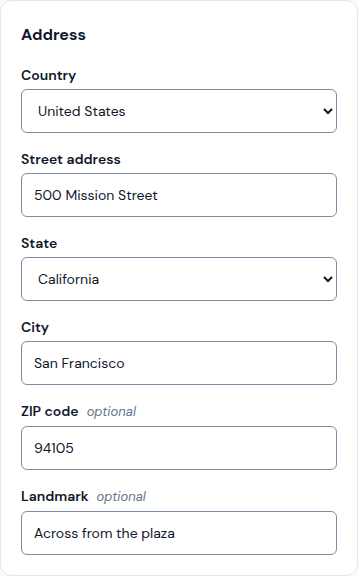
For the address, open Your brand › Location. In Address, pick the Country, then fill in Street address, City and, if you like, a Landmark that helps people find you.
-
Tap Save. Your page shows the changes at once.
Updated October 19, 2026, with the screens as they are now.