
Your page · 2 min read
Share your page with a link or a QR
Your page has its own link and QR code. Send the link on WhatsApp or Instagram, or print the QR for your counter.
-
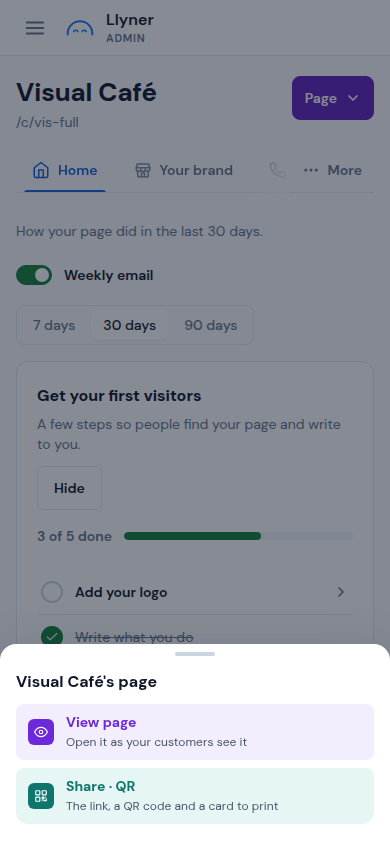
In your business, tap Page at the top right, then Share · QR. On a computer, Share · QR is a button of its own.
-
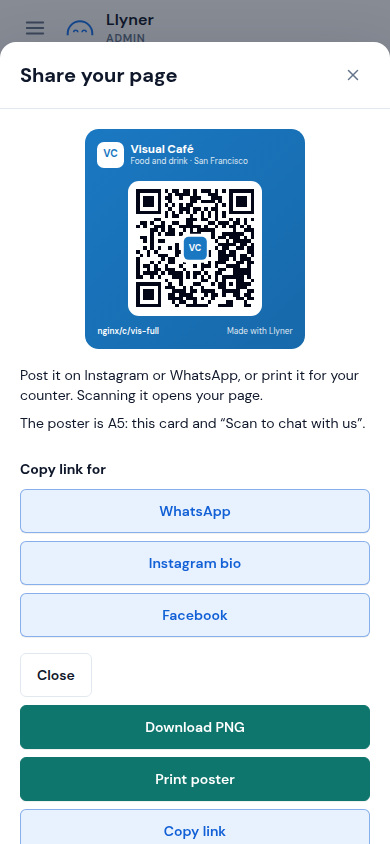
Share your page shows your card with its QR code. Scanning it opens your page.
-
Under Copy link for, tap WhatsApp, Instagram bio or Facebook, then paste the link there.
-
Tap Download PNG to save the card as a picture, or Print poster for an A5 poster with "Scan to chat with us".
Updated October 19, 2026, with the screens as they are now.