
Your page · 5 min read
Write a blog post
A post is a title, a picture and a few paragraphs with its own address, which Google can find. A visitor who finds it lands in your chat, opened on it.
-
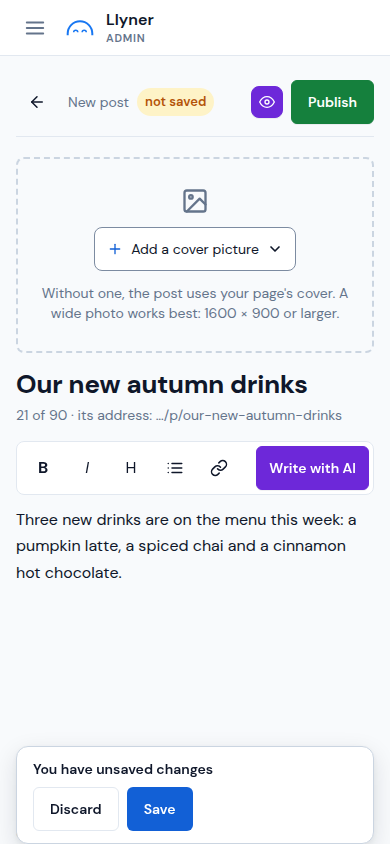
Open Content › Library, tap Add, then Write a post.
-
Write the title in Your post's title (put the important words first) and the text below it. Select words to make them bold, a heading or a link, or tap Write with AI for a draft.
-
Tap Add a cover picture to upload one, take a photo, or pick one of your photos or the free ones. Without one, the post uses your page's cover.
-
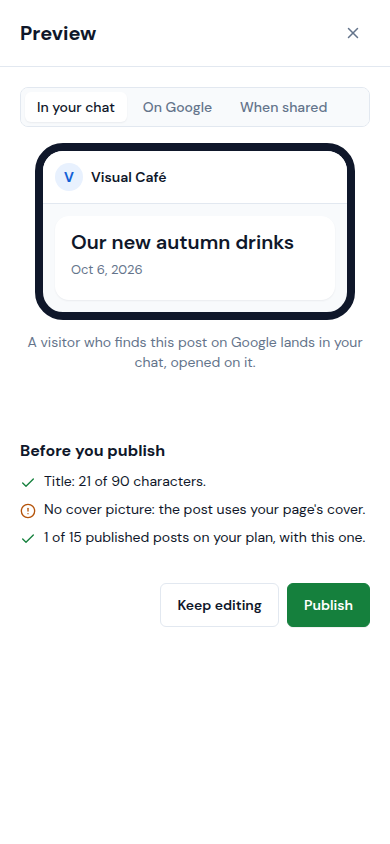
Tap the eye button to see the Preview: In your chat, On Google and When shared, with the checks under Before you publish.
-
Tap Publish. To keep it for later, tap Save instead: it stays a draft.
Updated October 19, 2026, with the screens as they are now.