
Your page · 3 min read
Set your opening hours
Your hours show on your page and your assistant answers "what time do you open?" with them.
-
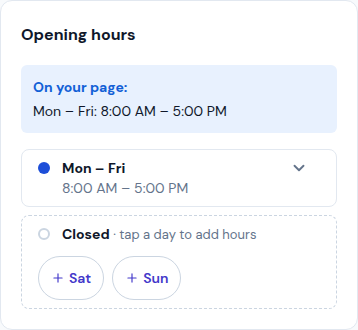
Open Your brand › Location and go down to Opening hours. On your page: shows how your hours read today.
-
With no hours yet, start from a usual week (Mon – Fri, 9–5, Mon – Sat, 8–6, Every day, 10–10, Open 24/7) or Set my own.
-
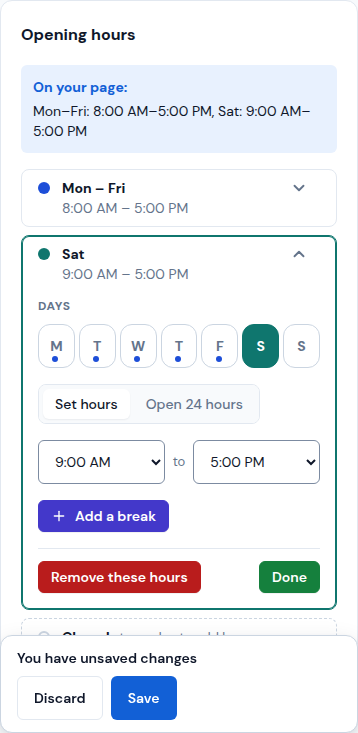
Tap a group of days (for example Mon – Fri) to change it: tap the days under Days, pick Set hours or Open 24 hours, and choose when it opens and closes. Add a break adds a lunch break.
-
A closed day shows under Closed: tap it to give it hours. To close a group, tap Remove these hours.
-
Tap Done, then Save.
Updated October 19, 2026, with the screens as they are now.