
Your page · 5 min read
Put your page on your website
A chat button for your own website: your visitors talk to you without leaving it.
-
Open Your brand › Website.
-
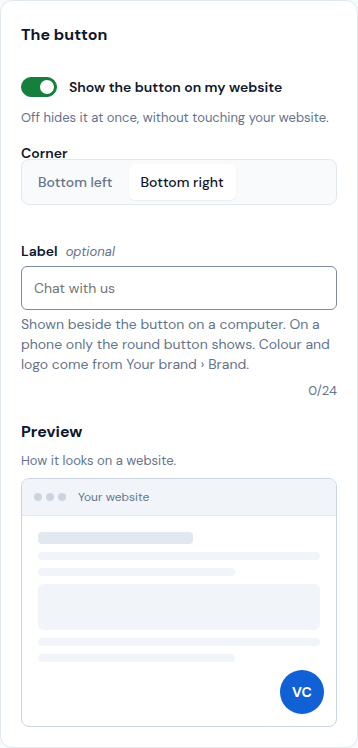
In The button, keep Show the button on my website on, pick the Corner and, if you like, a Label such as "Chat with us". Preview shows how it looks. Its colour and logo come from Your brand › Brand.
-
In What the chat offers on your website, tap an option to leave it out. Your page at llyner.com keeps everything.
-
Tap Save.
-
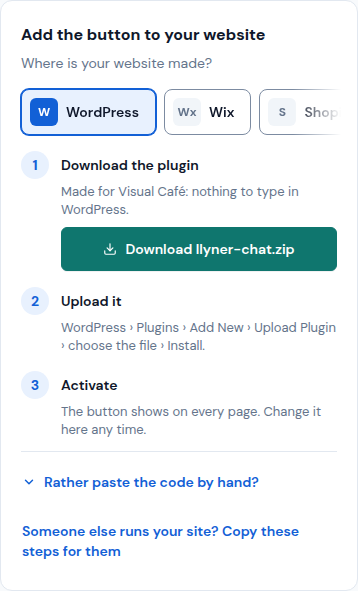
In Add the button to your website, pick where your website is made. On WordPress, tap Download llyner-chat.zip, upload it in WordPress › Plugins › Add New › Upload Plugin and activate it. On Wix, Shopify, Squarespace or another, tap Copy code and follow the steps shown.
-
Someone else runs your site? Tap Someone else runs your site? Copy these steps for them and send them.
Updated October 19, 2026, with the screens as they are now.